The following slides show
- why adding audio to slides add accessibility
- how you can easily record it on a chromebook
- the adding it process and
- how to share

My Mum -- Dorothy Winter -- Was a teacher She Motivated me to be a life long learner. The pics in this header show her as a young school girl - to teacher. I will be educhecking in her honour here at educheck.blogspot.com
The following slides show


I am not sure how many times I'm going key use Google spreadsheets in the way that this video from John Thomas shows but regardless of that I'm impressed. What the video really shows is that Google tools go deep: they search, they connect, they interact.
I've been trying to model the application shown but had forgotten how to make the column reference sticky with a $ thanks for that too John.
Might also say I don't think Google are done here I look forward to the day where I can use with in a spread sheet searches for relationships. The first few searches that come into my mind are:
While these didn’t quite work out for me YET it was fun trying and not only that it made me think.
Sometimes I feel that thinking is better than having the right answer. Thinking brings us a relationship with our information.
Sometime there is a link a webpage fro an email reply or address that I want to send to. What has been hapeening is my linkclicking will start up Outlook a program I now no longer use. I have come across Google's Gmail notifier, which has helped me make Gmail my default mail client, which means it will open a Compose window when I click on a web page email link. Here’s how you do it adapted from Lifehacker
Download and install the free Gmail notifier
.
Mac users, in Gmail Notifier Preferences, go to 'Settings,' and select Gmail from the 'Default Email Program:' drop-down menu, like this:

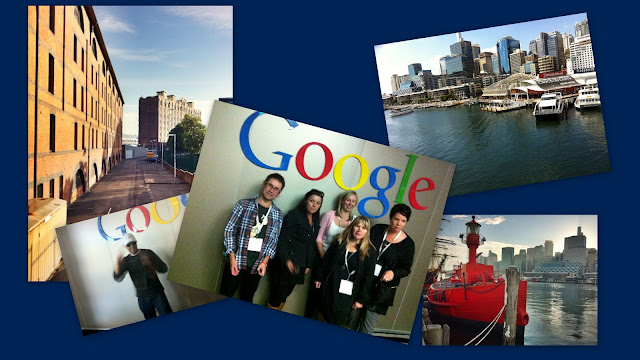
Being back from Sydney for a while now trying to decode try to work out exactly what happened at Google teacher Academy and what it meant. I really enjoyed being in a larger city and especially one so beautiful and vibrant. A visitors experience will be different to a locals.
Our look at google maps and google earth was inspiring. “Our Earth” is a learning bonanza. Thanks Wendy Gorton. Perhaps as a result of this being in this new environment I found the maps information captivating. On reflection maybe other reasons like my long held belief in the power of visual language play a part. Below in a narrated Google Earth Tour I talk about some ways we learn through map/earth exploration.GTASYD from Media team on Vimeo.
Here is a video of howto make a Tour in Google Earth
With a large inbox it can be hard to find all you unread messages Tech-recipes have a method for doing this that I have adapted here and made a quick video to show how.
1. Go to Your Gmail account
2. In the Search box at the top of the page, input the following: label:(unread inbox) 3. Click the Search button
A list of all unread emails located in the Inbox will appear.
If you need to do this frequently, you can save time by Making a quick link
1 Go to you email settings and search labs for the quick links feature and enable it.
2 While having the unread mail up as above add a quicklink by clicking add a link on the gmail side bar. You can then always bring up unread mail easily.
Here is a video showing the process.
Finding Unread Gmail from Media team on Vimeo.
A little more info here about how you can achieve the same thing for mobile
1. Open Gmail for Mobile.
2. Select Menu.
3. Select Search Mail.
4. Input label:(unread inbox) and select Search.
A list of all unread emails located in the Inbox will appear.
Google Apps for Edu is being widely adopted by an education community recognising the capacity of collaboration to improve outcomes for organisations. This is a developing ecosystem with some of the administration tasks we have been used to with active directory taking place in different ways with different tools. This can be complicated when organisations decommission exchange servers in favour of this cloud-based solution. One of the teachers at my school got married and took her husband's name. We wanted to change her name while retaining all of her documents and e-mail. We have been using Google-sync but needed now to change the account name in Google before resynching to it with an alias address so that she could receive mail from people using her maiden name.
Changing names
The product we used is the Google Apps Manager. There are a couple of steps to installation and then you need to follow the syntax examples to ensure that the naming you want takes place. We did this to rename the teacher with a new married name after which we could connect to her correctly from active directory where we also changed her name. I wasn't aware of the ability to create an e-mail alias using the same utility but it is there. This your only option that I know about should you have decommissioned your exchange server like we have. Good luck and I look forward to hearing your Google apps manager stories.
I was Looking for a quick reminder about the power of Google search and my friend Barbara Reid sent a link to a Google site where I found this. I’m keeping it handy as i find it takes a few revisits before something like this sinks in. What this has reminded me of is the power of search literacy in helping people be productive in their use of the web. I am one global citizen who backs Google’s removing itself from China on the basis of the information censorship being exerted on Chinese citizens. Click on the Play button and maximise the screen if you want to.
